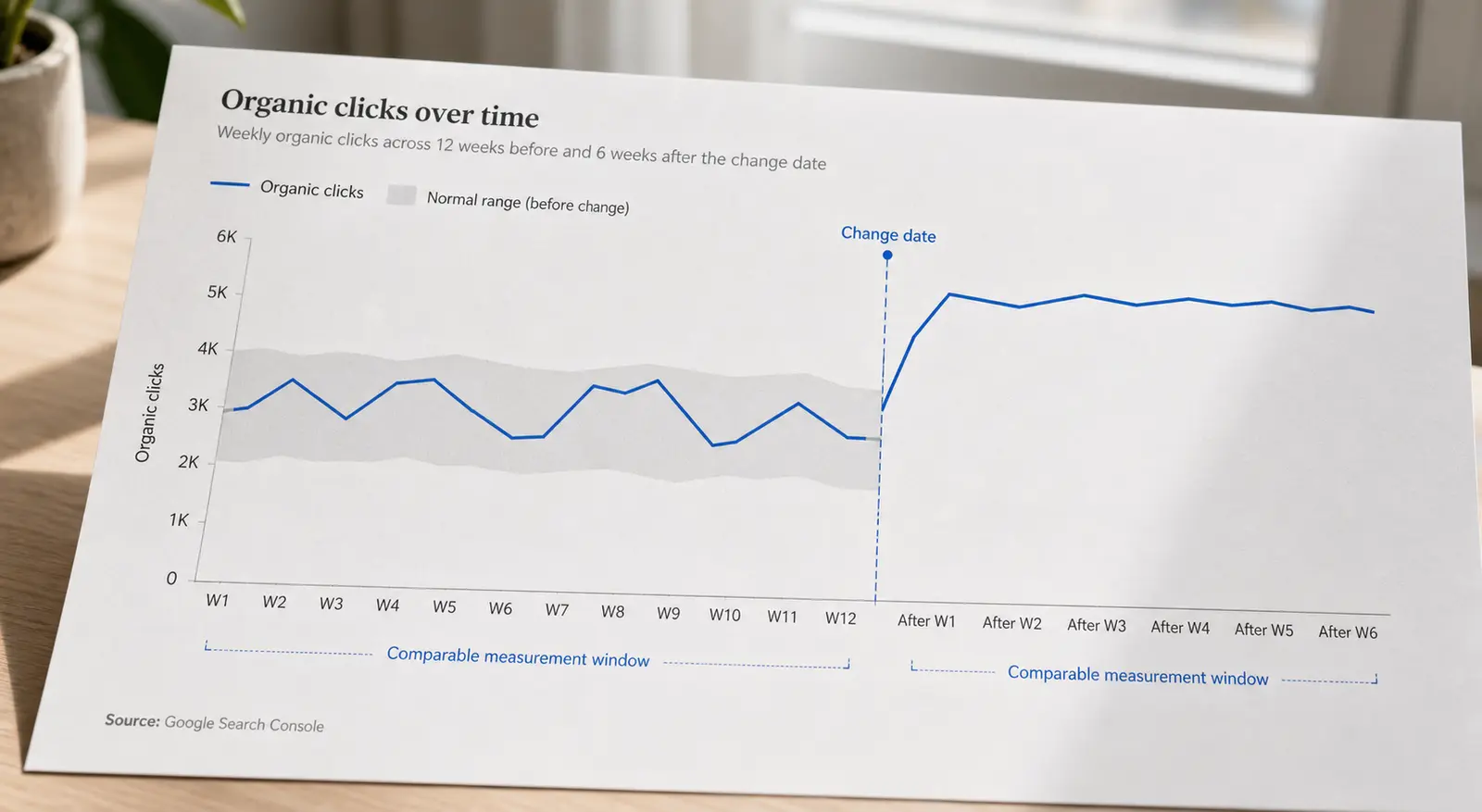
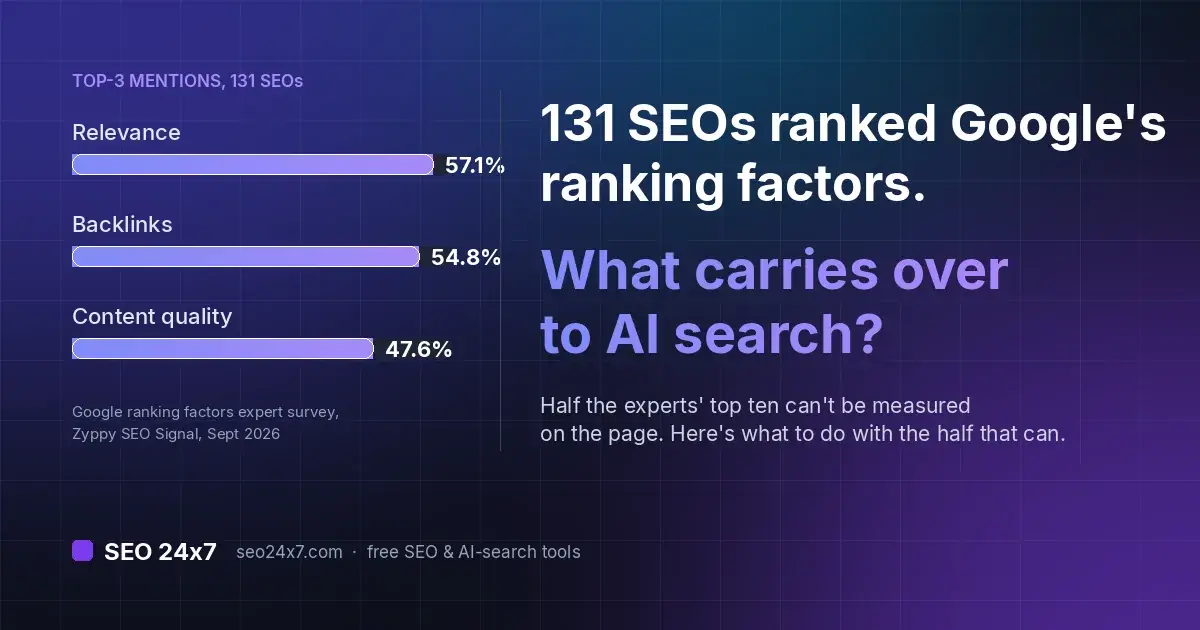
An SEO glossary is a reference that translates search-optimisation jargon into language you can act on. This one defines the terms you keep bumping into: crawling and indexing, on-page basics, links, the Core Web Vitals metrics, measurement words, and the newer AI-search vocabulary. Most entries pair a plain-English definition with the mistake people actually make, and the diagnostic checklist below the first table walks through why a page can be discovered yet still be missing from search. Related terms are grouped together so you can compare concepts that are easy to confuse, and if a definition still doesn't settle your question, the SEO 24x7 community can talk through your specific page.
Key takeaways
- SEO terms cluster into a few families: how pages get found (crawling, indexing), what's on them (title, canonical, schema), what points at them (links, anchor text), how fast they load (Core Web Vitals), and how you measure results.
- A canonical tag is a hint about the preferred version of a page, not a command Google must obey.
- Crawl budget is mainly a concern on large or rapidly changing sites; most small sites never hit the ceiling.
- INP replaced FID as a Core Web Vital in March 2024, according to web.dev's official announcement, so older guides referencing FID are out of date.
- GEO, llms.txt and AI Overviews are recent additions that extend the classic SEO vocabulary rather than replacing it.
How do pages get found? Crawling and indexing terms
Before a page can rank, a search engine has to discover it, read it, and decide to store it. These words describe that pipeline.
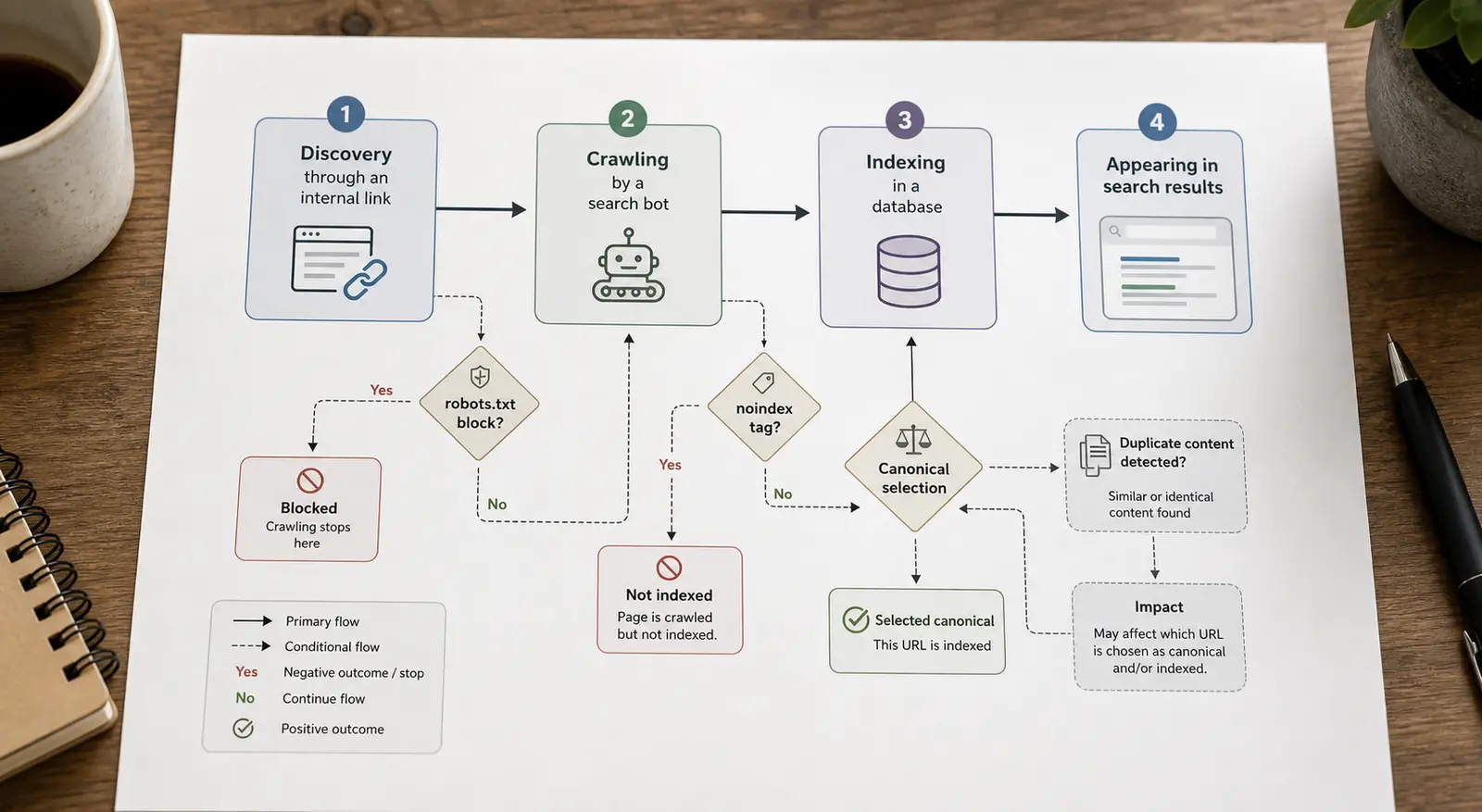
If a URL is missing from search, check the stages in order: Can another crawlable page link to it? Is crawling allowed? Does the fetched page permit indexing? Does its canonical point elsewhere? Is the content sufficiently distinct to be selected for indexing? This sequence separates discovery, crawling, indexing and canonicalisation instead of treating "not ranking" as one problem.
Crawling
- Plain-English meaning: A search engine's bot following links to fetch your pages.
- Where people trip up: A page that isn't linked from anywhere may never be crawled.
- Example: Googlebot follows a link from your homepage to a new post and fetches it.
Indexing
- Plain-English meaning: Storing a crawled page so it can appear in results.
- Where people trip up: Crawled does not mean indexed; Google can fetch a page and still choose not to keep it.
- Example: A crawled article enters Google's index and can surface for a query.
Robots.txt
- Plain-English meaning: A file that tells bots which paths not to crawl.
- Where people trip up: It blocks crawling, not indexing. A blocked URL can still show in results if others link to it.
- Example:
Disallow: /admin/stops bots crawling your admin paths.
Noindex
- Plain-English meaning: A meta tag or header telling engines to keep a page out of results.
- Where people trip up: If you also block the page in robots.txt, the bot can't see the noindex, so it may stay indexed.
- Example: A private thank-you page uses a noindex meta tag but remains crawlable.
Sitemap
- Plain-English meaning: An XML list of URLs you want crawled.
- Where people trip up: It's a suggestion, not a guarantee of indexing, and it shouldn't list noindexed or redirected URLs.
- Example:
sitemap.xmllists your published articles for discovery.
Crawl budget
- Plain-English meaning: Roughly, how many pages a bot will fetch on your site in a given period.
- Where people trip up: Usually becomes a priority on large or rapidly changing sites, especially when duplicate, faceted or low-value URLs consume crawling. A smaller site can still have crawl problems if its URL space expands far beyond its useful pages.
- Example: A site with 200,000 URLs sees only part of it crawled each day.
Orphan page
- Plain-English meaning: A page with no internal links pointing to it.
- Where people trip up: Bots and users struggle to reach it. Fixing this is a job for internal linking.
- Example: A landing page reachable only by a direct link, with no menu or in-content link.
A useful mental model: robots.txt controls the door (can the bot come in?), while noindex controls the guest list (should this page appear in results?). They solve different problems, and confusing them can leave a URL indexed when you meant to remove it, or prevent a crawler from ever seeing the noindex instruction.
What do the on-page terms mean?
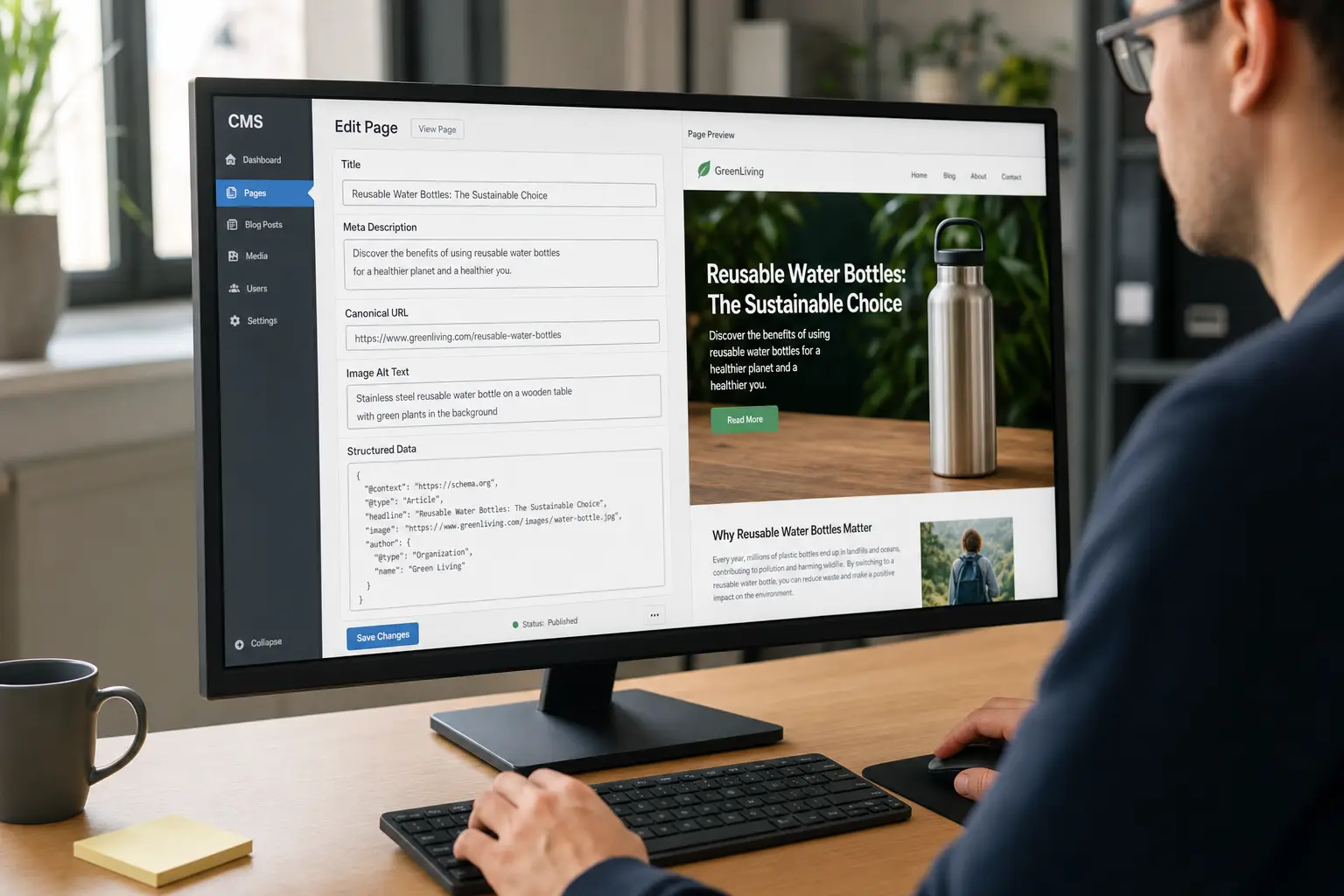
These describe the elements on the page itself, the parts you edit directly in your CMS.
Title tag
- Plain-English meaning: The HTML title element that suggests the headline for a search result.
- Where people trip up: Google may display different title-link text based on the page and query, so it won't always match what you wrote.
- Example: "SEO Glossary: Plain-English Definitions" set in the title element and often shown as the result headline.
Meta description
- Plain-English meaning: The summary snippet under the title in results.
- Where people trip up: Not a ranking factor, but it affects click-through. Google frequently rewrites it too.
- Example: A one-sentence summary that entices a click but doesn't change rankings.
H1
- Plain-English meaning: The main on-page heading.
- Where people trip up: Keep the page hierarchy clear. One descriptive H1 is usually the simplest approach, although multiple H1 elements are not automatically an SEO error.
- Example: A single "The SEO Glossary" heading at the top of this page.
Canonical
- Plain-English meaning: A tag naming the preferred version among duplicate or near-duplicate URLs.
- Where people trip up: It's a hint. Conflicting signals (like a canonical pointing at a noindexed page) get ignored.
- Example: Product URLs with tracking parameters point to the clean product URL as canonical.
Alt text
- Plain-English meaning: A text description of an image for screen readers and bots.
- Where people trip up: Describe the image plainly. Stuffing keywords helps nobody and hurts accessibility.
- Example:
alt="bar chart of monthly organic traffic"on a report screenshot.
Schema / structured data
- Plain-English meaning: Code (usually JSON-LD) that labels your content so engines understand it.
- Where people trip up: It describes what's already on the page. Marking up content that isn't visible is a guideline breach.
- Example: JSON-LD FAQ markup labelling question-and-answer pairs already on the page.
Search intent
- Plain-English meaning: What the searcher actually wants: to learn, to buy, to find a site, to compare.
- Where people trip up: Matching intent matters more than matching the exact keyword. This drives keyword research.
- Example: "buy running shoes" wants a shop; "how to clean running shoes" wants a guide.
Cannibalisation
- Plain-English meaning: Multiple pages satisfy substantially the same intent and compete for the same role.
- Where people trip up: Two URLs ranking for one query is not automatically a problem. Investigate when rankings repeatedly swap, the wrong page appears, or neither page has a distinct purpose.
- Example: Two beginner guides both target "how to do keyword research" with nearly identical coverage.
You can preview how your title and meta description will look in results with the SERP preview tool, and generate valid markup with the schema generator.
What are the link terms? Anchor text, backlinks and nofollow
Links are how authority and discovery flow between pages, both within your site and across the web.
Backlink
- Plain-English meaning: A link from another website to yours.
- Where people trip up: Relevance and trust of the linking site matter more than raw count.
- Example: A university page links to your research post.
Internal link
- Plain-English meaning: A link from one page on your site to another.
- Where people trip up: Site owners control internal links directly, so they are often easier to improve than backlinks.
- Example: A glossary term links to the fuller guide on that topic.
Anchor text
- Plain-English meaning: The visible, clickable words of a link.
- Where people trip up: "Click here" tells engines nothing. Descriptive anchors give context to the destination.
- Example: "Core Web Vitals explained" instead of "click here".
Nofollow
- Plain-English meaning: A link relationship that tells Google not to treat the link as a standard endorsement; Google processes it as a hint.
- Where people trip up: Use
rel="sponsored"for paid placements andrel="ugc"for user-generated links, adding nofollow as well when your policy requires it. - Example:
rel="nofollow"on a link you do not want treated as an editorial endorsement.
Redirect (301 / 302)
- Plain-English meaning: Sending a URL to a different one. 301 is permanent, 302 temporary.
- Where people trip up: Using a 302 for a permanent move can slow how quickly the new URL takes over.
- Example: A retired
/old-page301-redirects to/new-page.
Anchor text helps readers judge whether a link is relevant and gives search engines context about the destination. Use anchor text that accurately describes the destination, but vary it naturally when different wording is clearer for readers.
What do LCP, INP and CLS mean? Core Web Vitals terms
Core Web Vitals are Google's three field metrics for real-world page experience. They come from actual visitor data, not a lab simulation. Google assesses these ratings at the 75th percentile of page visits, separately for mobile and desktop.
LCP (Largest Contentful Paint)
- Plain-English meaning: How long until the biggest visible element (often a hero image or heading) finishes loading.
- Good rating: 2.5 seconds or less
- Example: A hero image finishes painting 1.8 seconds after the page starts loading.
INP (Interaction to Next Paint)
- Plain-English meaning: How quickly the page visibly responds after you tap or click.
- Good rating: 200 milliseconds or less
- Example: A menu opens 120 milliseconds after a tap.
CLS (Cumulative Layout Shift)
- Plain-English meaning: How much the layout jumps around as it loads.
- Good rating: 0.1 or less
- Example: Text stays put instead of jumping when a late image loads.
TTFB (Time to First Byte)
- Plain-English meaning: How long the server takes to send the first byte of the page.
- Good rating: A contributor to LCP, not a Core Web Vital itself
- Example: The server sends its first byte 300 milliseconds after the request.
The common confusion here is history: INP replaced FID as a Core Web Vital in March 2024, according to web.dev's official announcement. If a tutorial still talks about optimising FID, it predates that change. For a full walkthrough of what each metric measures and how to fix a failing score, see Core Web Vitals explained, and check your own numbers with the speed test.
What do the measurement and ranking terms mean?
These are the words you'll meet in analytics dashboards and when people talk about how visible a page is.
SERP
- Plain-English meaning: Search Engine Results Page: everything Google shows for a query.
- Where people trip up: It's not just ten blue links anymore. Ads, snippets, maps and AI answers all sit on it.
- Example: A query returns ads, a map pack, an AI Overview and organic links together.
Impressions vs clicks
- Plain-English meaning: Impressions: times your page appeared. Clicks: times someone clicked it.
- Where people trip up: Low CTR can reflect ranking position, SERP features, query mix, an unconvincing snippet or a mismatch with intent. Compare similar queries and positions before changing the title.
- Example: A page shown 1,000 times receives 20 clicks.
CTR (click-through rate)
- Plain-English meaning: Clicks divided by impressions.
- Where people trip up: Position affects it heavily, so compare CTR within the same rough ranking position.
- Example: 50 clicks from 1,000 impressions is a 5% CTR.
Featured snippet
- Plain-English meaning: A search-result feature that extracts a concise answer from a web page and prominently links to the source.
- Where people trip up: You earn it by answering the question cleanly and early on the page, not by bidding. Its position and format can vary by query and result layout.
- Example: A box answering "what is anchor text" pulled from a page.
Long-tail query
- Plain-English meaning: A relatively uncommon, specific search query from the "long tail" of overall demand.
- Where people trip up: It is often longer than a head term, but word count alone does not make a query long-tail, and specific queries are not automatically easy to rank for.
- Example: "best lightweight trail running shoes for wide feet".
E-E-A-T
- Plain-English meaning: Experience, Expertise, Authoritativeness, Trust: how Google frames content quality.
- Where people trip up: Not a direct score you can tune. It's a lens its guidelines use to describe good content.
- Example: An author with hands-on experience and cited sources signals quality.
Core update
- Plain-English meaning: A broad, periodic change to Google's ranking systems.
- Where people trip up: Traffic swings after one usually reflect relative quality, not a single "penalty" to undo.
- Example: A March core update shifts rankings across many sites at once.
What are the AI-search terms? GEO, AI Overviews and llms.txt
AI-generated search features have introduced several terms that are easy to conflate. AI Overviews is a Google Search feature, GEO is an emerging optimisation label, and llms.txt is a third-party proposal rather than a Google Search standard.
- AI Overviews: Google-generated summaries that may appear in Search and link to supporting web sources. Google announced the US rollout in May 2024.
- GEO (Generative Engine Optimisation): an emerging label for efforts to improve a brand or source's visibility in generative answers. Definitions vary, and much of the work overlaps with established SEO, content quality and digital PR; see GEO vs SEO and what GEO is.
- llms.txt: a third-party proposal for publishing a curated map of your key content for language-model tools. It is not a Google Search standard; our explainer on llms.txt covers where it helps and where it doesn't.
- Citation: in AI-search terms, being named and linked as a source inside an AI answer. Clear, self-contained answers can make a passage easier for an AI system to use, but citation selection also depends on source relevance, corroboration, authority, freshness and the product's retrieval system. See our guides to getting cited by ChatGPT and earning visibility in AI Overviews for content-format, sourcing and technical checks.
How should you use a glossary like this?
Treat it as a lookup, not a reading list. When a report or an audit uses a term you're unsure of, find it here, read the "where people trip up" note, then go back to the task. The mistakes column matters as much as the definition: most SEO errors come from misapplying a term you technically understood, like blocking a page in robots.txt when you meant to noindex it.
When a term connects to a bigger job, follow the link to the fuller guide. If you're building your skills from the ground up rather than looking up a single word, the structured Learn SEO path sequences these concepts in the order they actually build on each other, and the free tools let you test each one on a real page.
If a definition does not resolve your question, ask the SEO 24x7 community about the page, report or metric you are working with. Include the relevant URL or screenshot, with sensitive information removed, so other practitioners can respond to the actual context.