⚠️ NEEDS REVIEW — do not publish as-is. Auto-generated and flagged by Agentic OS: Critique flags a human-only blocker: "The repeated ten-to-fifteen-minute estimate reads as a measured promise, but no test or client confirmation supports it. Replace both time claims with: "On a typical page, this is " Fix the flagged issue(s) and delete this note before publishing.
A Practical Pre-Publish Check for Any Page You Ship
Before publishing any page, run a short QA pass in this order: check render speed on the real URL (or staging), run an on-page and AI-search check, preview the title and description as they will appear in results, validate your structured data, confirm your llms.txt and canonical signals are honest, and verify that crawlers, both search and AI, are actually allowed in. It takes ten to fifteen minutes on a normal page and catches the class of mistake that is cheap to fix now and expensive to fix after the URL is indexed and linked.
Key takeaways
- Run the check in dependency order: rendering first, content second, presentation third, machine-readable signals last.
- Most publish-day failures are not subtle. They are a stray
noindex, a truncated title, a canonical pointing at staging, or an image nobody compressed. - Tools give you signals, not verdicts. A page-check score is a checklist that ran itself, not a ranking prediction.
- Crawler access is the one item where a mistake is invisible: the page looks perfect to you and does not exist to anything else.
- Re-run the pass after publish on the live URL. Staging and production differ more often than people expect.
Why run the check before publish rather than after?
Because the cost of a fix rises the moment a URL goes live. A wrong canonical caught in staging is a one-line edit. The same canonical caught three weeks later has already been crawled, possibly consolidated against another URL, and quite likely linked to from your own navigation and someone's newsletter. You now need a fix plus a recrawl plus patience.
There is a second reason that has grown in the last couple of years. Pages are now read by two audiences with different failure modes. A search crawler that cannot render your content gives you a thin page. An AI answer engine that cannot fetch your content simply never cites you, and you get no error message, no coverage report, no signal at all. Silence looks identical to "nobody was interested". The pre-publish check is where you rule out the mechanical explanations before you start theorising about the interesting ones.

What order should the checks run in, and why does order matter?
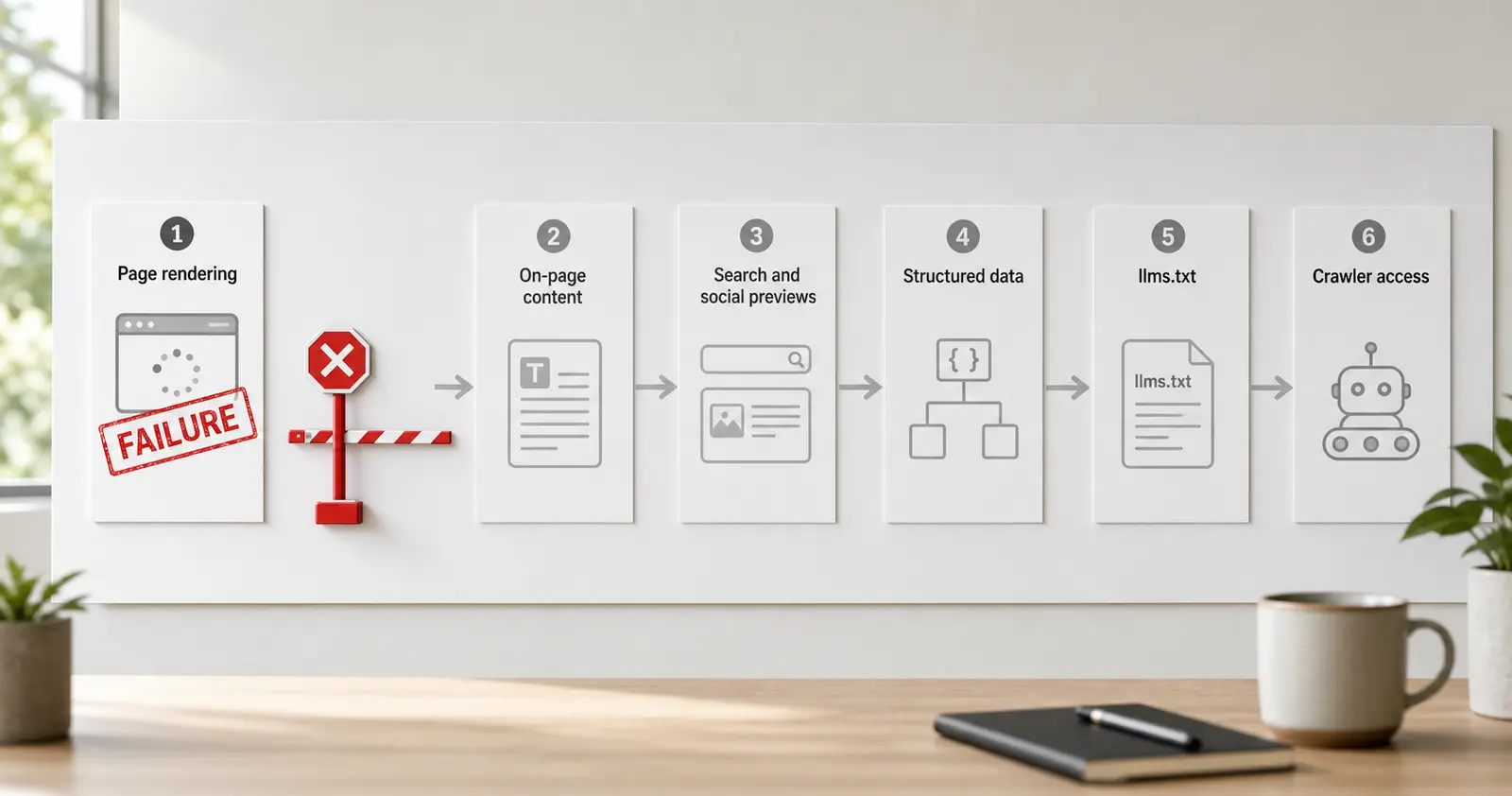
Run them in dependency order, because a failure early in the chain invalidates everything downstream. There is no point evaluating your heading structure on a page whose main content is injected by a script that timed out. Fix the render, then judge the content.
1
- What you are checking: Does the page render, and how fast
- Tool: Page Speed Test
- What a pass looks like: Lighthouse completes; no obviously oversized assets; LCP element is the one you intended
2
- What you are checking: On-page fundamentals and AI-search readiness
- Tool: Page Checker
- What a pass looks like: No missing title, description, H1, alt text or canonical; score understood, not worshipped
3
- What you are checking: How the page reads in results
- Tool: SERP Preview and Meta Tag Previewer
- What a pass looks like: Title and description survive truncation; social card shows the right image and text
4
- What you are checking: Machine-readable claims
- Tool: Schema Generator
- What a pass looks like: Schema describes what is visibly on the page, nothing more
5
- What you are checking: Site-level AI guidance
- Tool: llms.txt Generator
- What a pass looks like: File reflects the site as it now is, including this new page if it belongs there
6
- What you are checking: Who is allowed to fetch it
- Tool: AI Crawler Manager
- What a pass looks like: Your robots rules match your actual intent for GPTBot, ClaudeBot and the rest
All seven tools are free to use on SEO 24x7 and the platform is in beta, so treat outputs as signals to act on rather than gospel.
Step 1: Does the page actually render, and what is slow?
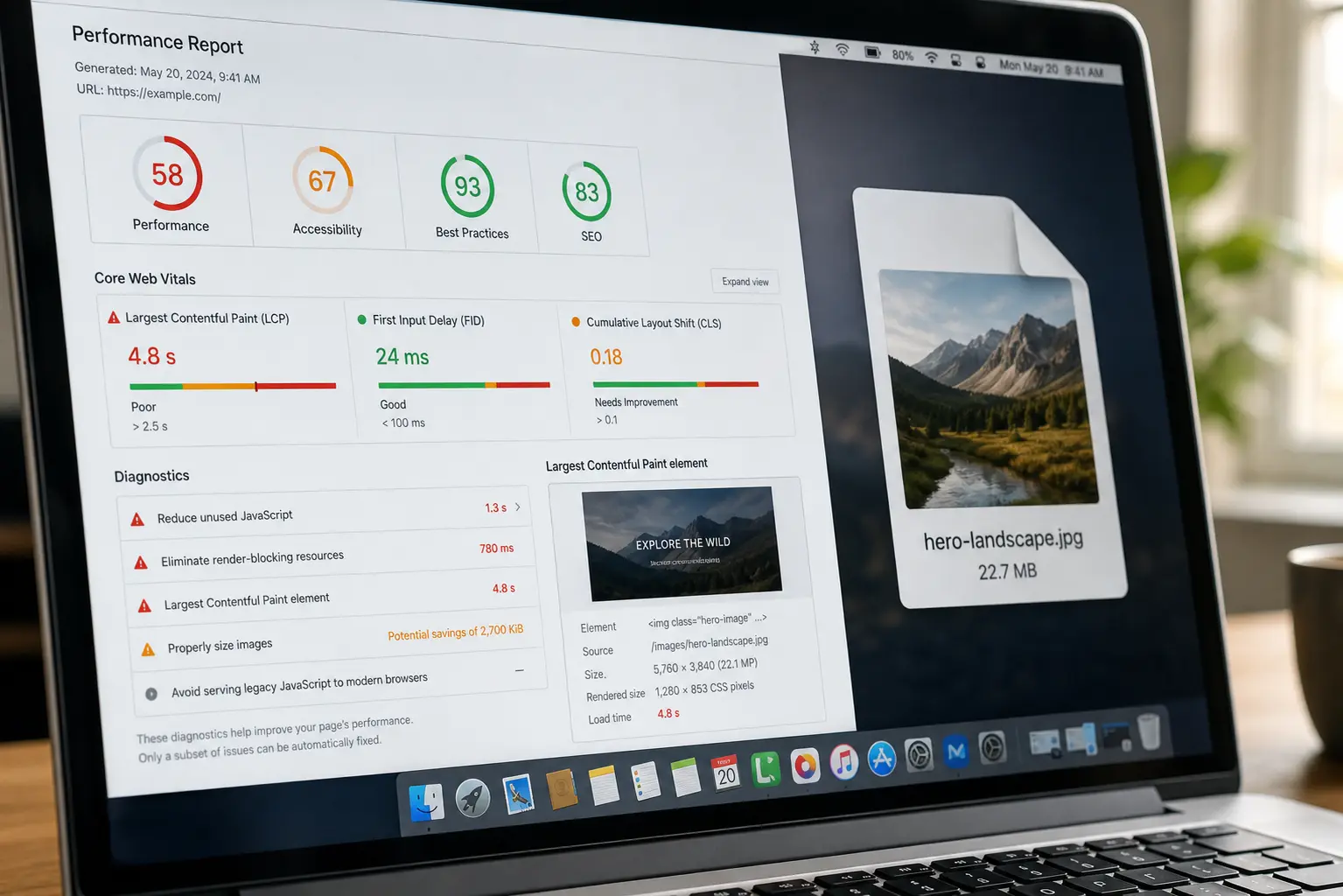
Start with a real page load, not an opinion about one. The Page Speed Test runs a genuine Lighthouse report against the URL, which gives you lab data: a controlled, repeatable measurement of one load on one connection profile.
The three things worth reading first:
Which element is your LCP. Lighthouse names it. If your largest contentful paint element is a decorative hero image or, worse, a cookie banner, you have found a real problem that no amount of image compression fixes. If it is your H1 or your hero copy, you are in reasonable shape.
Whether anything is absurdly heavy. The single most common publish-day regression is one uncompressed image that someone dropped in from a camera roll or a stock library at full resolution. It shows up instantly in the opportunities list.
Whether the content is in the HTML at all. View the rendered output. If your body copy only appears after JavaScript executes, you are relying on the crawler to render, which search engines generally do but which many AI fetchers do not.
What lab data does not tell you: how the page performs for actual visitors on actual devices and networks. Lighthouse gives you a controlled measurement, not field data. Treat a good lab score as "no obvious blocker" rather than "fast for everyone", and check field data separately once you have real traffic. If you want the underlying metrics explained properly, the Core Web Vitals guide covers what LCP, INP and CLS actually measure.
Step 2: What does an on-page check catch that reading the page does not?
The boring, invisible things. You will never notice a missing meta description by reading your own page, because you are reading the content, not the head. Run the Page Checker and it will surface the mechanical gaps: absent or duplicated title, missing H1, multiple H1s, images without alt text, a canonical that points somewhere unexpected, a robots meta tag that says something you did not intend.
That last one deserves its own paragraph. A stray noindex left over from staging is the single most damaging pre-publish error, and it is completely invisible to a human reader. The page looks finished. It renders. It is beautiful. And it will never appear in a search result. Check for it explicitly, every time, on every page, forever.
The Page Checker also produces an AI-search score alongside the SEO score. That side of the check is looking at whether your content is structured in a way an answer engine can extract: are there direct answers near the top, is the page organised under headings that map to real questions, is the key information in text rather than locked inside an image or a video. It is a useful prompt for the question "could a machine lift a clean answer out of this page", which is a different question from "is this page well written".
Here is the honest limit: a score is a checklist that ran itself. It cannot tell you whether your argument is any good, whether the page says something the top results do not already say, or whether anyone will want to link to it. Those are the things that actually decide whether a page succeeds, and no automated check will ever grade them. Use the score to clear the mechanical floor, then apply judgement.
Step 3: Does the page read well as a search result and a shared link?
Your title tag and meta description are advertising copy that renders in a box you do not control, at a width that changes. Paste them into the SERP Preview and look at the truncation point. If the distinguishing part of your title falls past the cut, rewrite so the useful words come first. Front-load the specific, leave the brand and the generic modifiers to the tail where truncation does least damage.
Then check the Meta Tag Previewer for the social card. Two failure modes recur. The first is a missing Open Graph image, which produces a bare, low-contrast link that nobody clicks. The second is a stale one: the OG image still shows the title from the template the page was copied from, or an image whose text no longer matches the current headline. Both are trivial to fix before publish and mildly embarrassing after somebody has already shared it.
One thing to keep straight: search engines rewrite meta descriptions frequently, often using a passage from the page that better matches the query. Your description is a strong suggestion, not a guarantee. This is not a reason to skip writing a good one. It is a reason not to spend forty minutes agonising over one that may well be replaced.
Step 4: Does your schema describe the page, or decorate it?
Structured data should restate what is visibly on the page in a format machines parse reliably. Nothing more. Use the Schema Generator to produce clean JSON-LD for the type that genuinely fits: Article for a post, FAQPage when there is a real, visible FAQ block, HowTo when the page contains actual numbered steps a reader can follow.
The rule that keeps you safe is simple: if a claim is not visible to a human reader on the page, it does not belong in the markup. Do not mark up an FAQ that exists only in the JSON-LD. Do not add a HowTo to a page that discusses a process rather than stepping through it. Do not put an aggregate rating on a page with no reviews on it. These are guideline violations and, more practically, they are the kind of thing that gets structured-data features pulled from a whole site rather than one page.
Also check your inter-node references resolve. If your Article schema references an Organization by @id, confirm that node actually exists in the page's emitted markup. A dangling @id silently breaks the relationship you were trying to establish, and nothing warns you.
Step 5: Do your llms.txt and crawler rules say what you think they say?
These are the two site-level checks, and you do not need to run them on every page. Run them whenever the shape of the site changes: a new section, a new content type, a move, a redesign.
The llms.txt Generator produces a plain-text map of your important pages for large language models. Be clear-eyed about its status: llms.txt is a proposed convention, and adoption across AI providers is not yet universal. It is cheap to maintain and does no harm. It is not a ranking factor and it will not get you cited on its own. If you want the full picture of what it is and is not, we have written it up in What is llms.txt.
The AI Crawler Manager is the one that matters more, and it is the check people skip. It lets you see and control which AI crawlers, GPTBot, ClaudeBot and others, are permitted by your robots rules. The decision is genuinely yours to make and reasonable people land in different places. What is not reasonable is landing there by accident. Plenty of sites have a blanket disallow that was copied from a template years ago, or a permissive rule the owner would not have chosen if asked.
Make the choice deliberately, then verify the file says what you decided. A robots directive is one line of text with no validation and no error reporting. It is very easy to write a rule that blocks more than you meant, and there is nothing to tell you.
What does this check not cover?
Worth being explicit, because a checklist that implies completeness is worse than no checklist.
It does not judge whether the page deserves to rank. Nothing here evaluates whether you have said something the existing results have not. That question is answered by reading the current top results honestly and asking what you can add, and the answer is usually specifics: a worked example, a number you measured, an edge case nobody documents.
It does not check internal linking properly. A new page with no inbound internal links is an orphan regardless of how well it scores. Before publishing, decide which existing pages should link to this one and go and add those links. Our guide to internal linking covers how to think about it structurally.
It does not confirm indexing. Only your search console property tells you whether a URL was crawled, indexed, or excluded, and why. That is a post-publish check, not a pre-publish one.
It does not measure field performance. Lab data and real-user data diverge, sometimes considerably.
The check as a printable list
Run through this before you hit publish. Ten to fifteen minutes on a typical page.
- Load the URL and confirm the main content is present in the HTML, not only after scripts run.
- Run a speed test. Identify the LCP element. Fix anything obviously oversized.
- Run the page check. Read the mechanical failures, not just the score.
- Confirm there is no leftover
noindexand the canonical points where you intend. - Preview the title and description at truncation width. Front-load the distinguishing words.
- Check the social card renders with the right image and current headline.
- Validate schema. Confirm every marked-up claim is visible on the page.
- Confirm a direct answer to the page's core question appears in the first paragraph.
- Add the internal links that should point to this page from existing pages.
- On a site-structure change, refresh llms.txt and re-check crawler rules.
- After publish, load the live URL and repeat steps 1 to 4. Staging and production differ.
Step 11 is the one experienced practitioners never skip and everyone else learns to add. Build steps, CDN rules, environment variables and caching layers all have opinions about your page, and they only express them in production.
Turn the check into something people can see
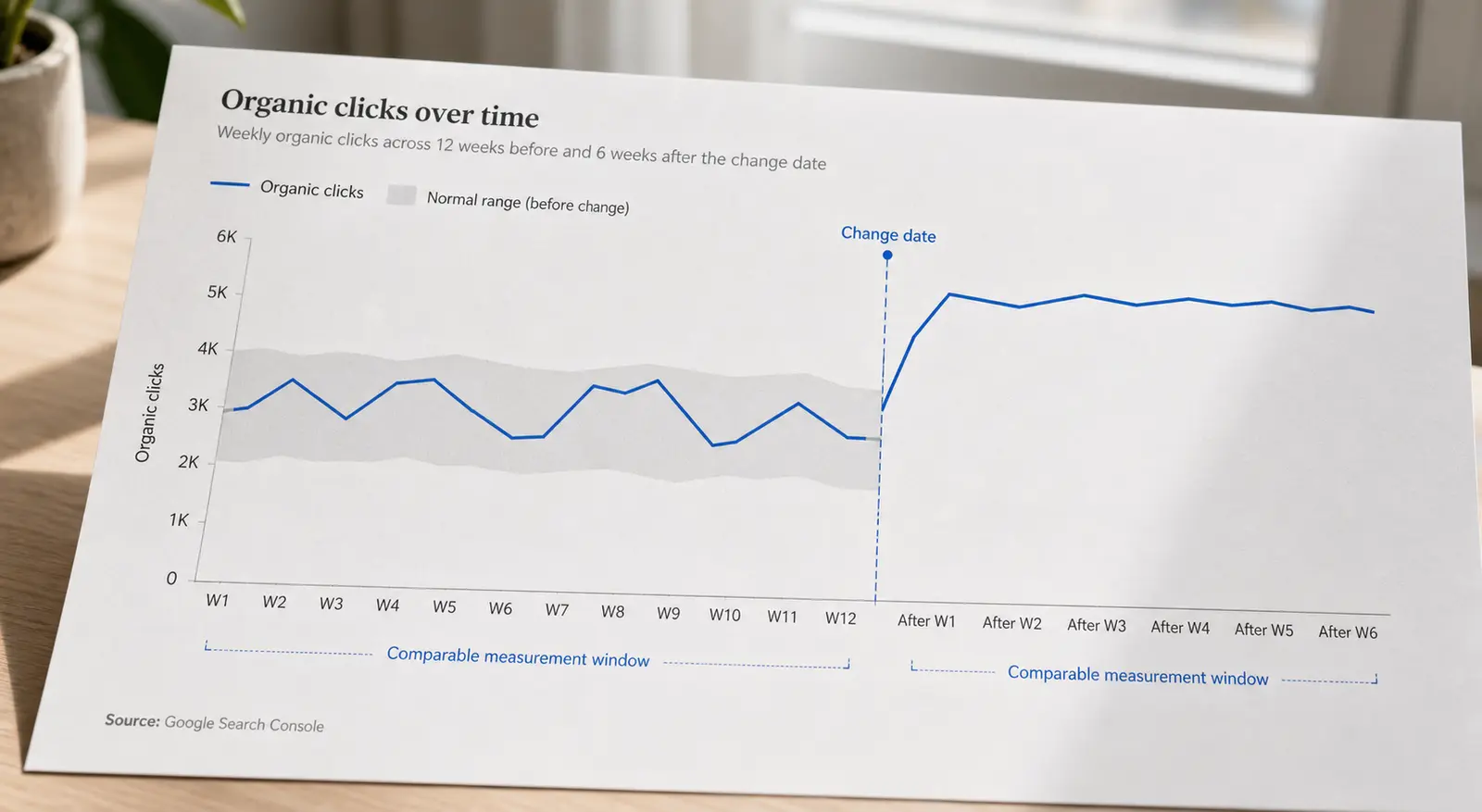
A QA pass like this is invisible work. It shows up as problems that never happened, which is the hardest kind of contribution to point at later. One way to make it count is to write up what a check caught and what changed as a result: the fix, the measurement, the timeframe. If you have a measured SEO or GEO result behind it, publish it as a case study on SEO 24x7 under your own @handle, where it stays indexed and citable rather than scrolling away in a private channel. The community leaderboard is currently wide open, which makes now an unusually good time to be first.
Or start smaller: run one of the free tools against a page you shipped last month and see what the check would have caught.